HOW TO USE AFTERPAY
Vehicle maintenance and repairs can be expensive and unexpected.
If you want to pay with Afterpay, just let us know when you book any service and we’ll send you a payment link once the work is done.
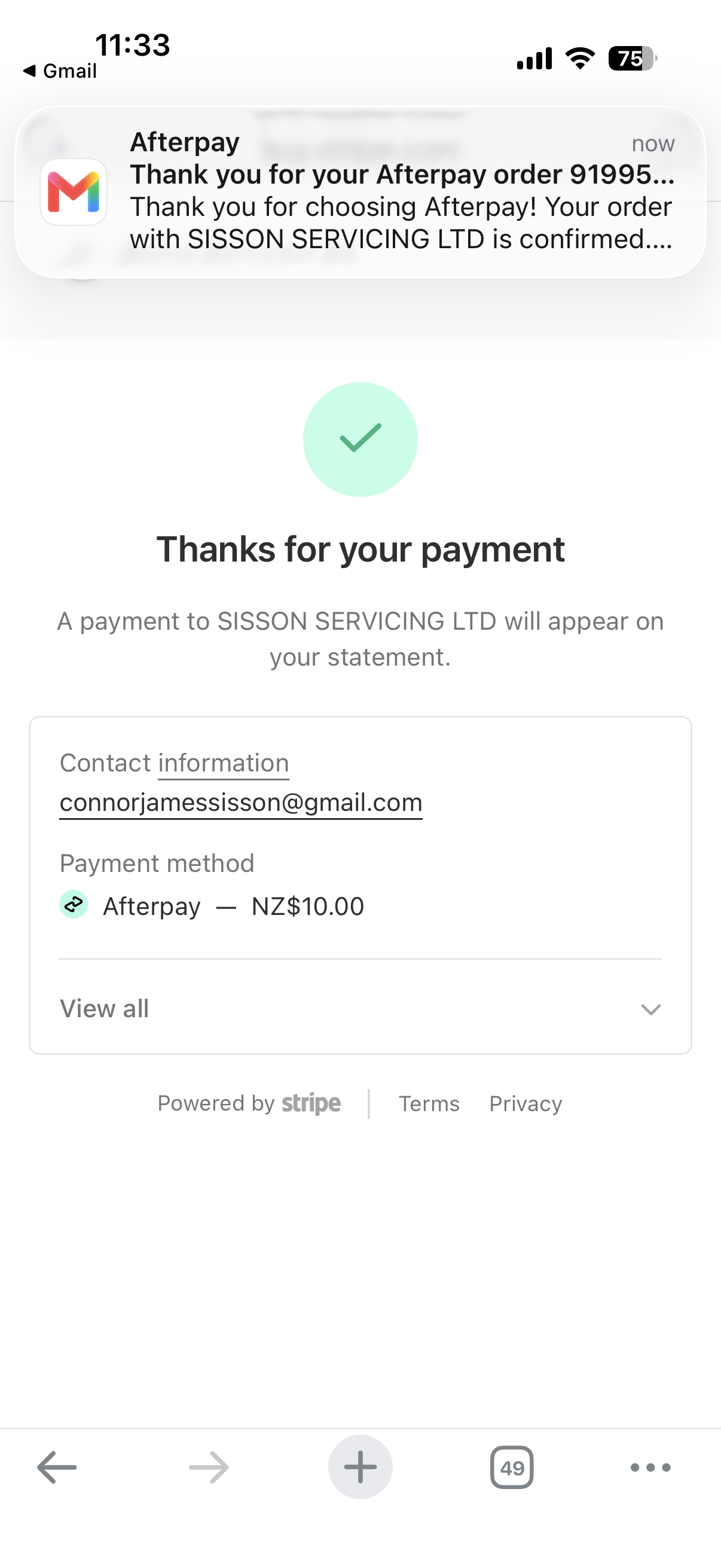
Click the link on Apple, Android or Desktop and you’ll be taken to the payment page.
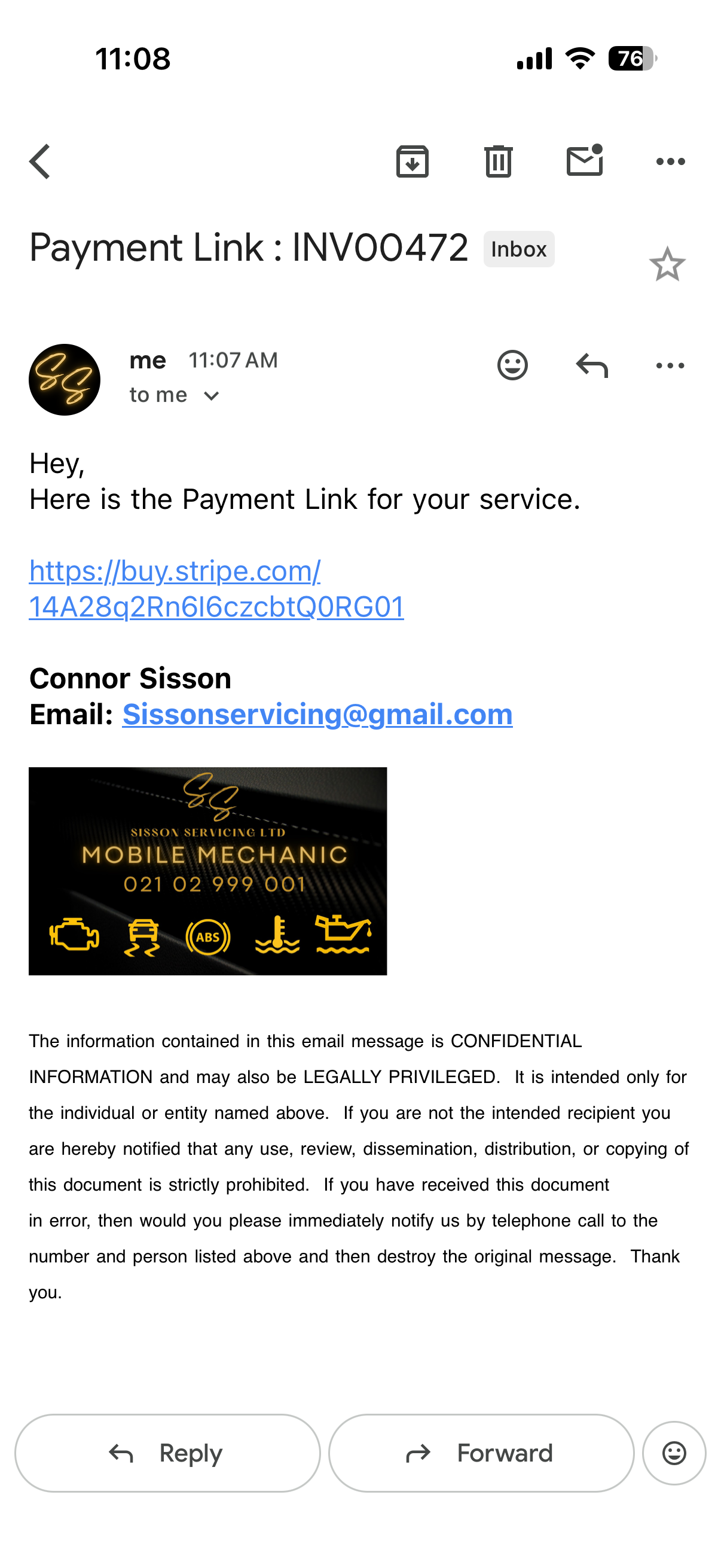
Once you’re at this payment page, simply select Afterpay from the ‘Payment method’ section and then click ‘pay’ at the bottom of the page.
You’ll then be redirected to your Afterpay app or portal to compleate the payment
You may need to login to your Afterpay account with the details you used to create the account.
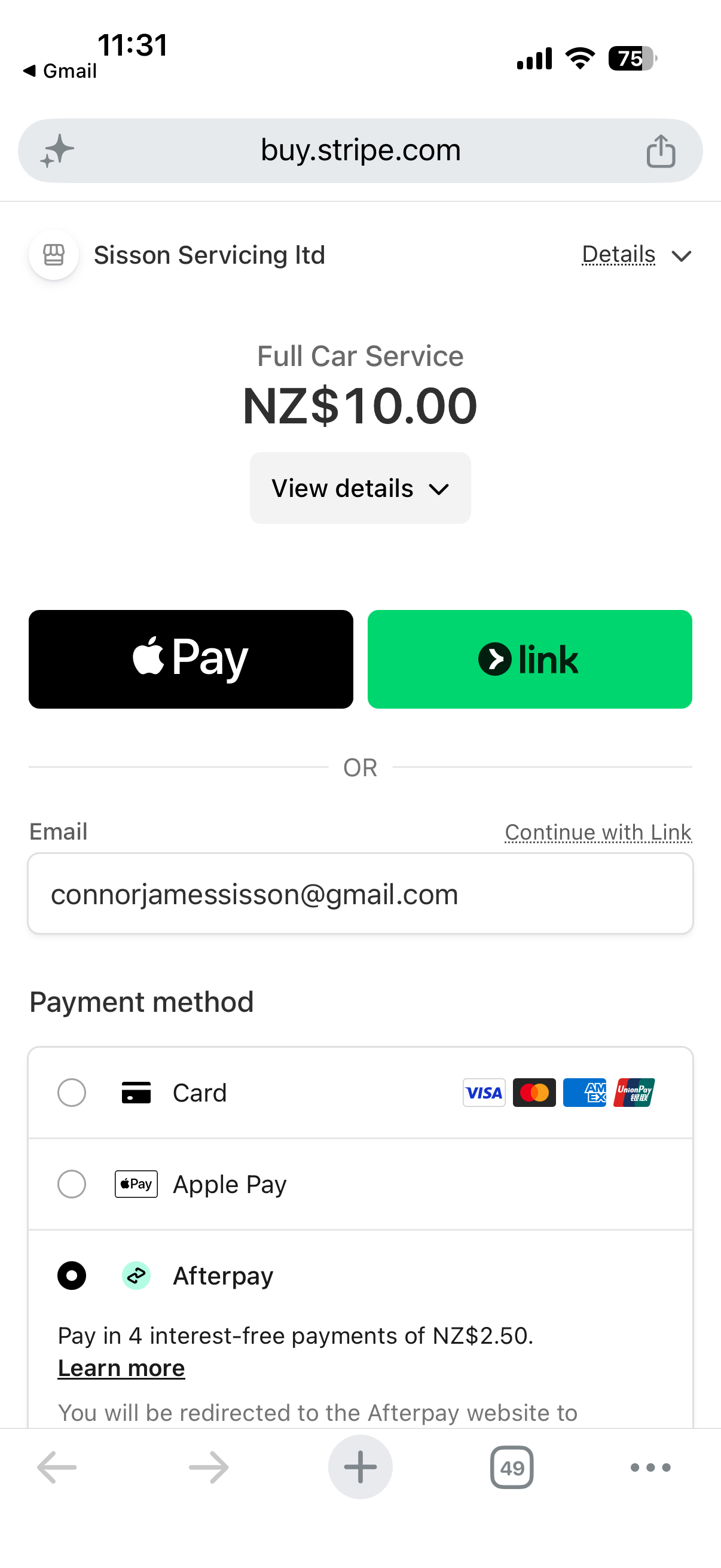
If you’re already logged in you’ll be taken to the confirmation page, where you can check your payment plan, how much you’re paying, who you’re paying and from which card.
Click confirm to finalize the payment.
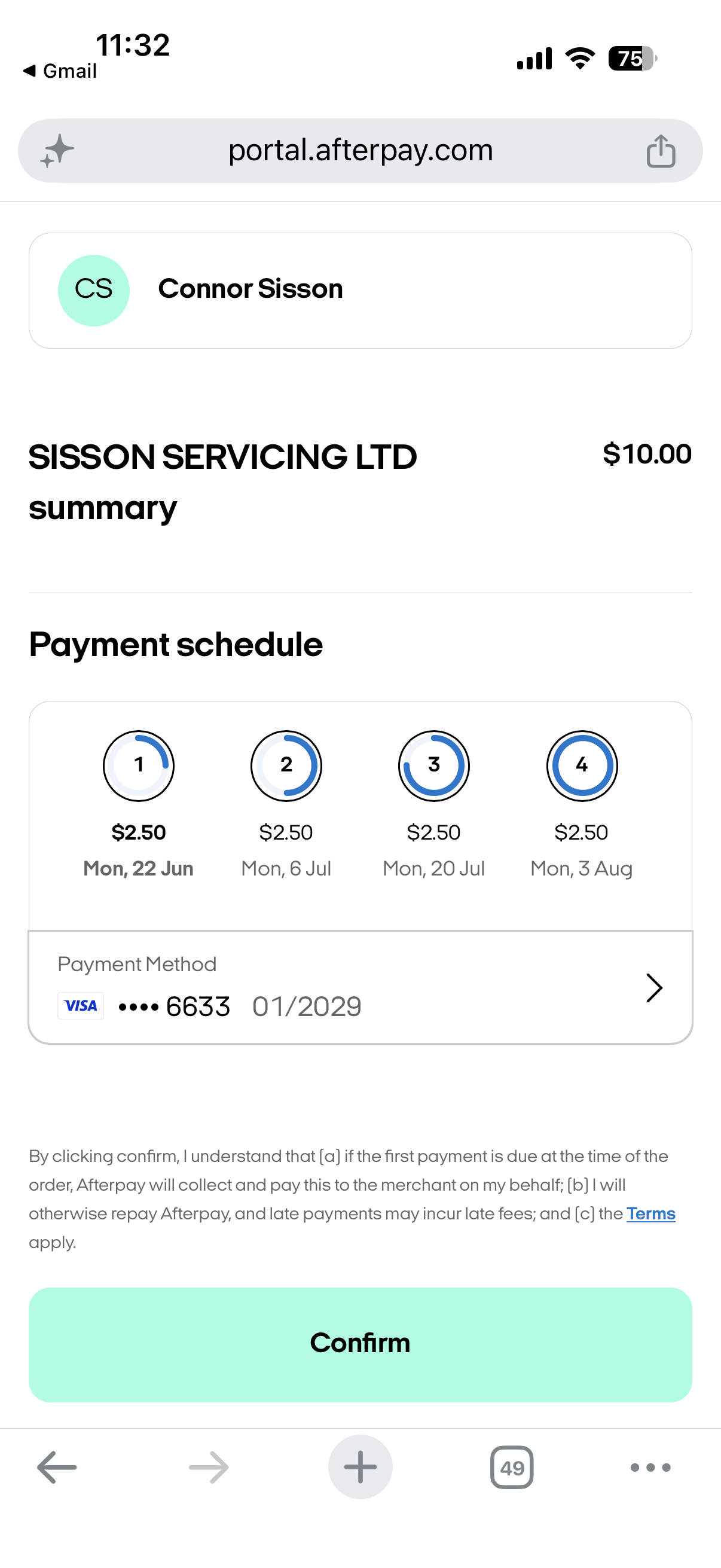
You’re all done!
You should now see confirmation of your payment as well as receive an email with all the details.